
Open the YouTube video or Short you want and copy its URL from your browser or the YouTube app.
YouTube Thumbnail Downloader & Size Guide
Paste any YouTube video or Shorts URL below to download its thumbnail in the highest available quality. Free, fast, and no signup needed.
Right click the preview to save it directly, or use the buttons above.
Free Forever
No Signup
HD Quality
How to Download a YouTube Thumbnail
Copy the YouTube Video URL
Paste the URL and Get the Thumbnail
Paste the YouTube URL into the downloader above and click Get Thumbnail.
Download the Thumbnail
Choose the available thumbnail quality and download the image to your device.
YouTube Thumbnail Quality Options
| Quality | File name | Resolution | Best use |
|---|---|---|---|
| HD Recommended | maxresdefault |
1280 x 720 | Uploads, print, and re-editing. The sharpest option. |
| SD | sddefault |
640 x 480 | Blog posts and slides where HD is unavailable. |
| HQ | hqdefault |
480 x 360 | Reliable fallback that exists for every video. |
| MQ | mqdefault |
320 x 180 | Small previews and list thumbnails. |
| Default | default |
120 x 90 | Tiny icons and favicon scale previews. |
HD is the best choice for most uses, whether you are re-checking your own upload or saving a reference. Some older or low resolution videos never got a 1280 x 720 version, so the tool simply shows the highest size available. You can also right-click any preview above and save it directly.
YouTube Thumbnail Size
The recommended YouTube thumbnail size is 1280 x 720 pixels with a 16:9 aspect ratio. Minimum width is 640 pixels. Upload as JPG, PNG, or GIF under 2 MB.
DIMENSIONS
1280×720
ASPECT RATIO
16:9
MAX FILE SIZE
Under 2 MB
FORMATS
JPG, PNG, GIF
YouTube Thumbnail Dimensions and Resolution
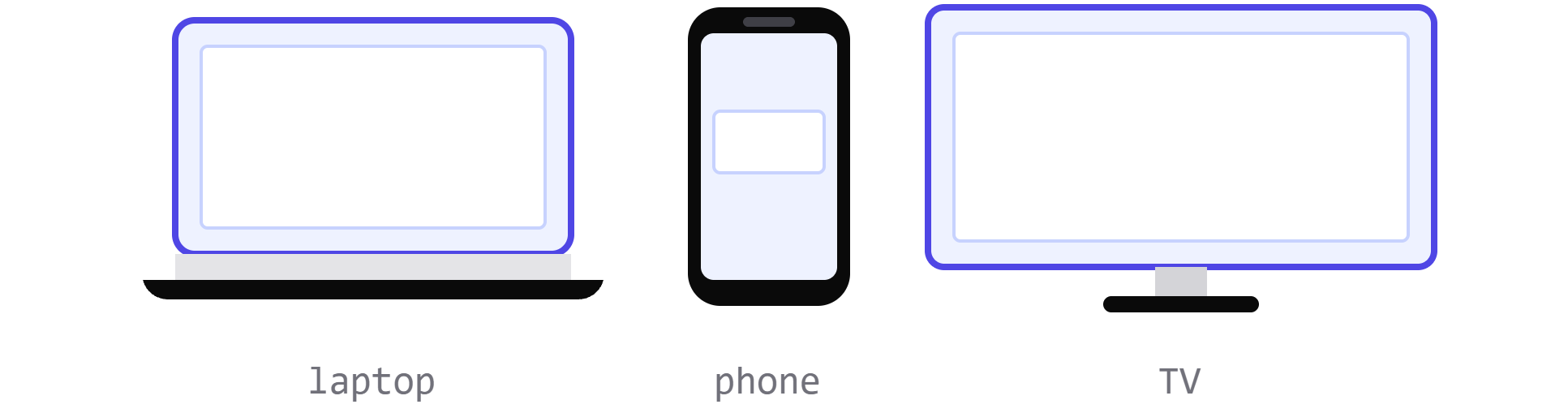
1280 x 720 pixels is the recommended size, and 640 pixels is the minimum width YouTube accepts. Designing at 720p keeps the image sharp on desktop, mobile, and TV, where the same file is scaled up and down. Anything smaller starts to soften as soon as it is stretched.
YouTube Thumbnail Aspect Ratio
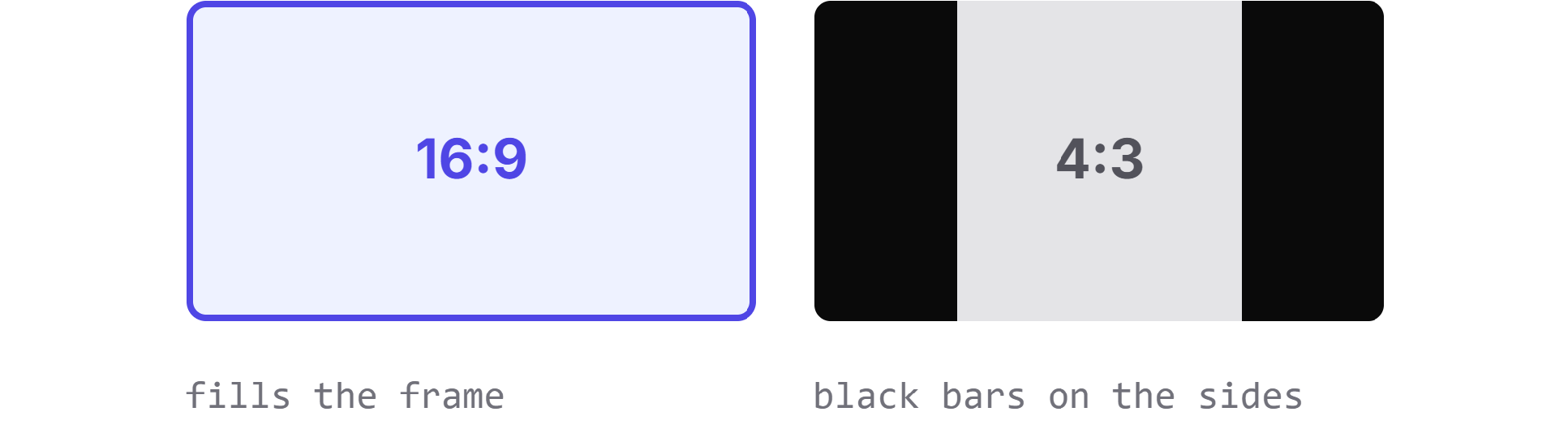
16:9 is the standard, and it is the only ratio that fills the player and every thumbnail slot cleanly. A 4:3 or square image gets black bars on the sides or has its edges cropped away. To fix one, place it on a 1280 x 720 canvas and scale it proportionally instead of stretching it to fit.
YouTube Thumbnail File Size and Format
Uploads have to stay under 2 MB. Use JPG for photographic thumbnails where the file needs to stay small, PNG when there is text or flat graphics that must stay crisp, and GIF only if you already have one, since YouTube supports it but shows the first frame only.

YouTube Thumbnail Safe Zone
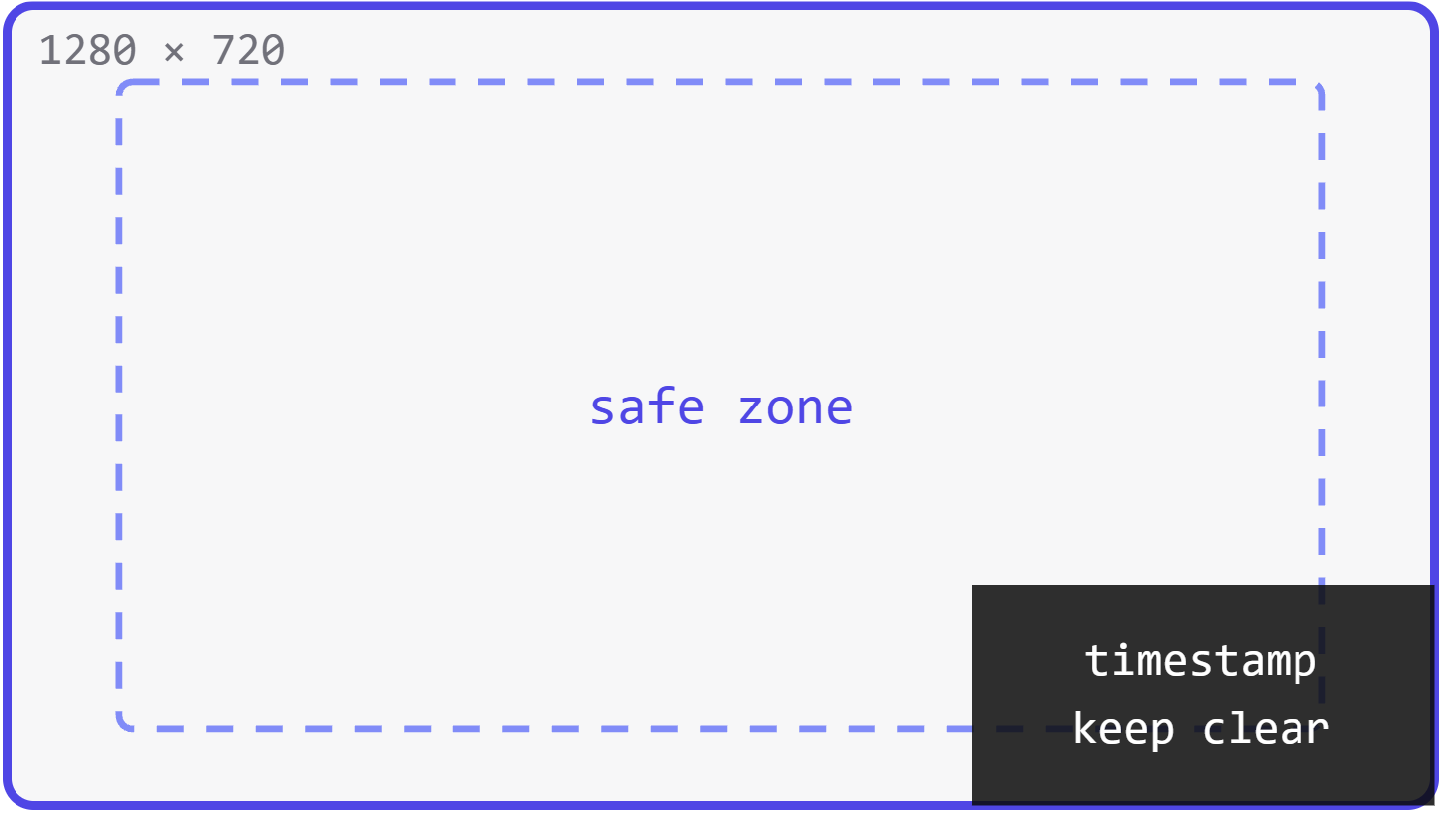
The video length timestamp sits over the bottom right corner of every thumbnail in feeds and search. Keep text, faces, and logos out of that corner, and leave a margin along all four edges so nothing gets clipped by rounded corners or hover overlays.
YouTube Shorts Thumbnail Size
DIMENSIONS
1080×1920
ASPECT RATIO
9:16
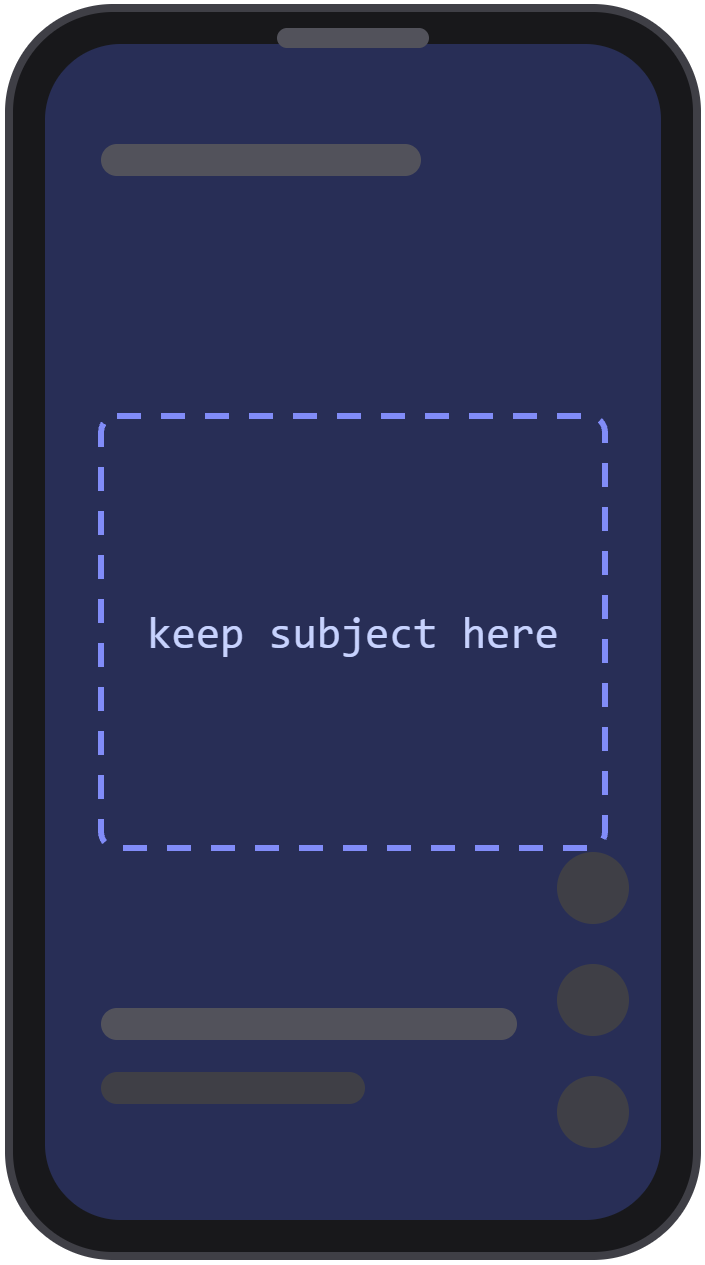
Shorts are vertical, so the cover is shown in a tall 9:16 crop instead of the 16:9 frame used for regular videos. Most creators pick a still frame from the Short itself during upload, and some upload a custom vertical cover. Keep the subject in the middle third, because the top and bottom are covered by the title, channel name, and action buttons. A 16:9 thumbnail still matters, since a Short can also appear in search results and on your channel page.
Free YouTube Thumbnail Template (1280 x 720)
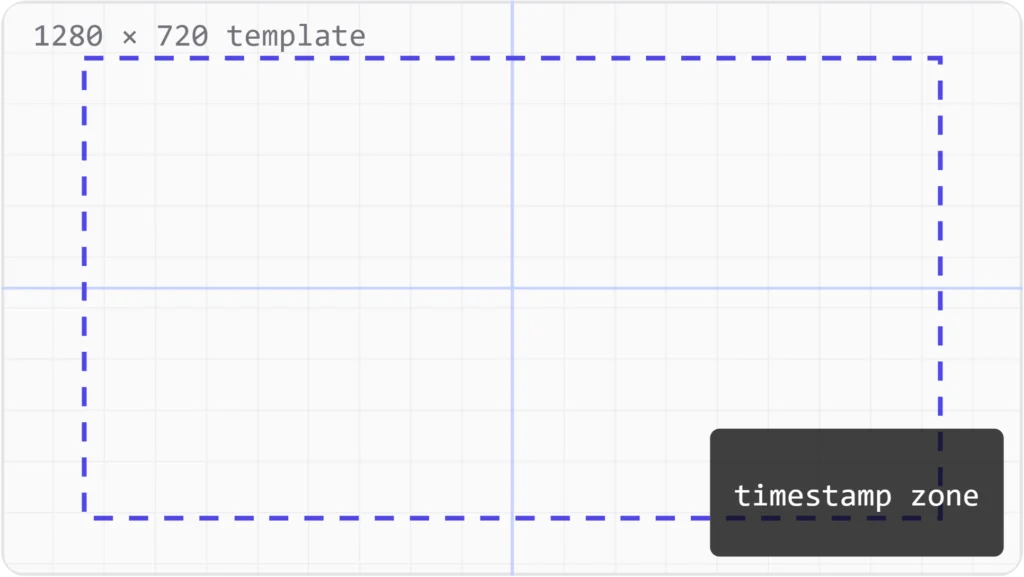
A ready to use blank canvas at exactly 1280 x 720 with the safe zone and center guides already marked. Drop it into Canva, Photoshop, Figma, or any editor and design straight on top of it.
Best Practices for YouTube Thumbnails
Use the Recommended Dimensions
Design at 1280 x 720 from the start. At that size the thumbnail never looks blurry or gets cropped, whichever surface it appears on.
Choose a High-Quality Image
Start from a sharp, well lit frame or photo. Never stretch a low resolution image up to fit, because the softness is obvious next to competing thumbnails.
Keep Text Readable
Three to five words at most, in a large bold face. Check it at phone size. If you cannot read it there, nobody will.
Use Strong Contrast
Put a bright subject against a simple background. High contrast is what makes a thumbnail separate itself in a crowded results page.
Make the Subject Clear
One main focus, a face, a product, or a single object. A viewer should understand what the video is about in about a second.
Frequently Asked Questions
Why is the full HD thumbnail not available for some videos?
Older uploads and low resolution videos were never given a 1280 x 720 thumbnail by YouTube. When that file does not exist, the tool falls back to the highest size that does, usually HQ at 480 x 360. There is no way to recover detail that was never generated.
Can I download a YouTube Shorts thumbnail?
Yes. Paste the Shorts link exactly the way you would paste a regular video link, and the tool reads the video ID from it. The same set of sizes is returned.
Does the downloader work on mobile?
Yes. It runs in any mobile browser on iOS or Android, with no app or extension to install. Tap Download and the image saves to your photos or files.
Can I download thumbnails from private or unlisted videos?
Unlisted videos work if you have the link, because their thumbnails are served publicly. Private videos do not, since their images are restricted to the owner and anyone they have shared access with.
Is it legal to download YouTube thumbnails?
Saving a thumbnail for personal reference, research, or inspiration is common practice. The image itself still belongs to the creator who made it. Get permission before republishing or reusing one.
Can I use a downloaded thumbnail on my own video?
Only with the creator’s permission. Using someone else’s thumbnail without it can lead to a copyright claim or a strike on your channel.
Why does my thumbnail look blurry after uploading?
Almost always the source image is smaller than 1280 x 720, or it was compressed heavily before upload. Export at full size, keep the file under 2 MB, and avoid scaling a small image up.